 Video Production
For commercial producers · iPhone / iPad / Mac
Your client’s request.
Three working estimates.
Start with the email, brief, or rough notes. Compare Low, Base, and High options, inspect the costs, and adjust the working numbers before you quote.
Currently in TestFlight. Not yet submitted for public App Store release.
From request to review
The numbers first.
The detail when you need it.
Bring the request
Choose a screenshot, PDF, Word document, spreadsheet, presentation, text file, or CSV. Or paste the email. On Mac and iPad, you can also drop files into the app.
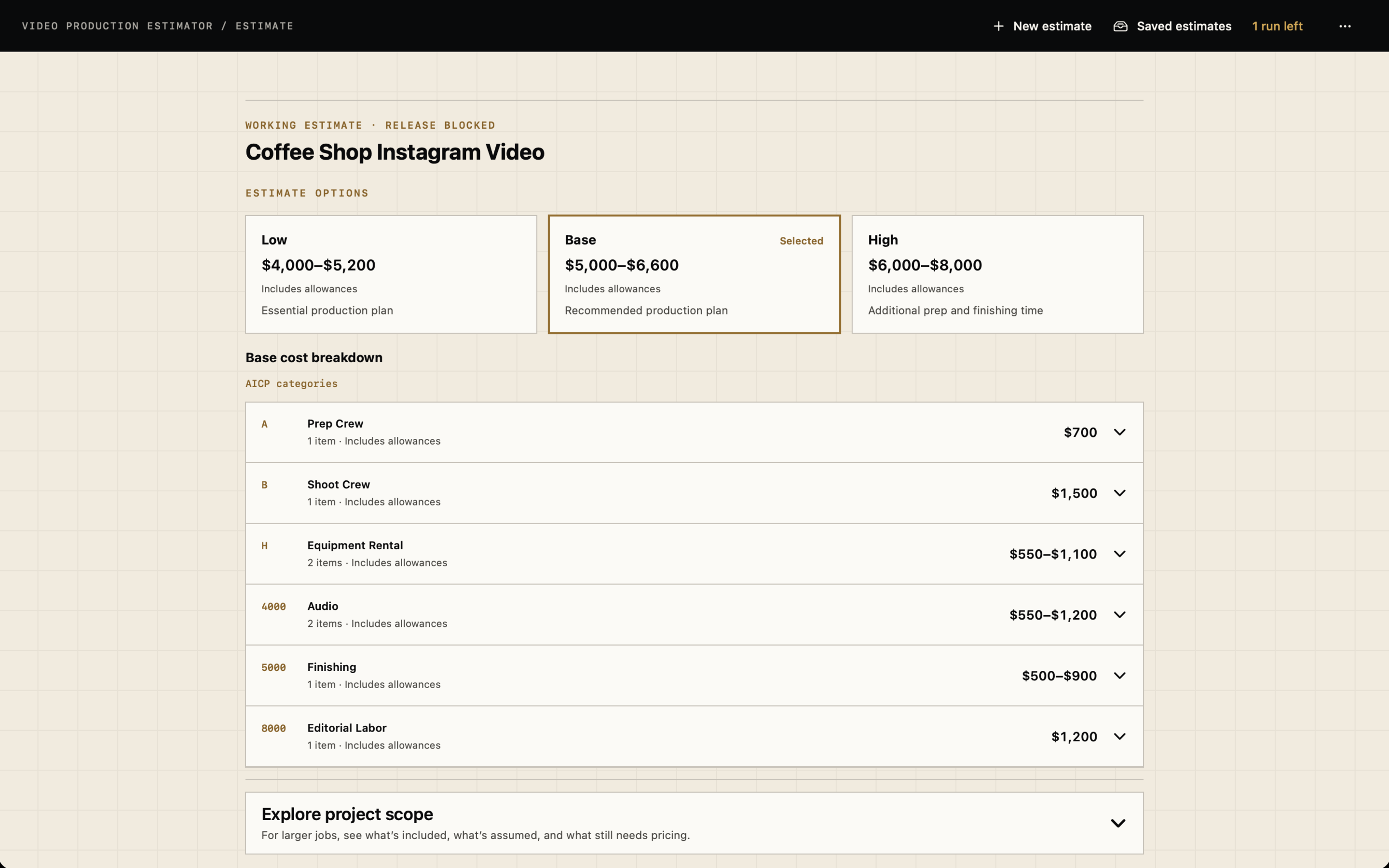
Compare Low, Base, and High
Review working ranges built from quantities, reference rates, and labeled allowances. If costs still need pricing, the result identifies the gaps.
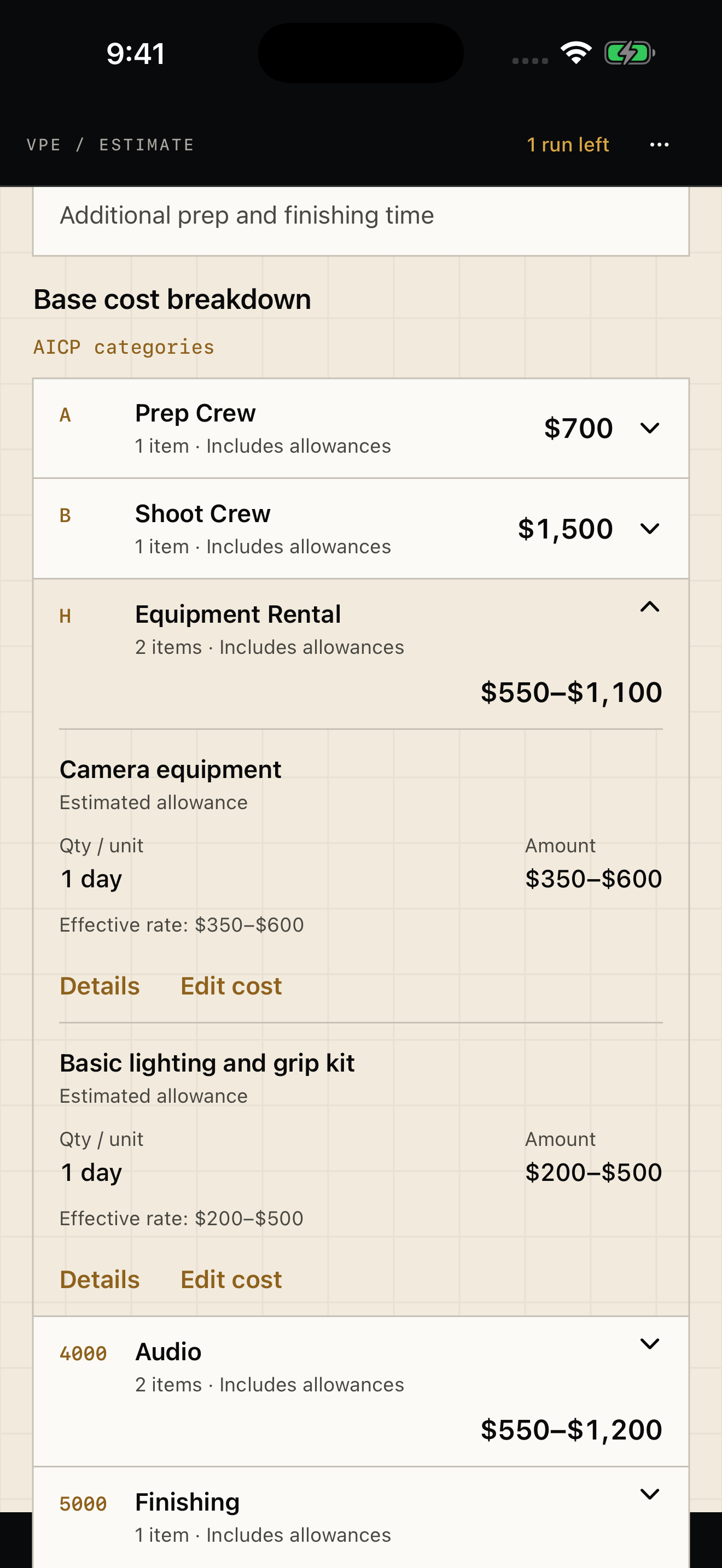
Open the cost breakdown
Expand an AICP-style category to see its line items, effective rates, amounts, and assumptions. Edit a working cost on your device.
Check the scope
For larger jobs, explore included work, exclusions, and unpriced items. Reopen previous work from Saved estimates.
Keep your judgment in the estimate
See what is priced.
Know what still needs a decision.
A total is only useful when you can understand what went into it. Open assumptions and source references, adjust working amounts, and review missing costs before using the result with a client.
Pay per request
One credit.
All three options.
The free download includes one initial estimate credit per installation. Cost editing and scope exploration use no additional credits. No subscription.
US App Store pricing. Apple shows the current local price before purchase. A completed partial estimate uses a credit; failed runs return it.
Credits do not expire. They belong to the installation where purchased, do not sync between devices, and may be lost if you delete the app.
Producers and film educators
See if it fits your next brief.
Ask Joey about release timing, TestFlight access, or using the app in a film-production class. No account is required in the app. Document extraction and AI processing require internet access and your consent.